Как создать кошелёк Metamask и начать торговать на PancakeSwap
Кошелки Web3.0 такие, как Metamask, SafePal, TrustWallet и т.д. нужны для хранения криптовалюты и для пользования DEX (Decentralized Exchange или децентрализованная биржа) биржами и Web3.0 DeFi (Decentralized Finance) приложениями.
Кошелёк не только работает с Ethereum и её основной валютой ETH, но поддерживает и другие токены, основанные на этой сети (Polygon Network, Optimism Ethereum, Binance Smart Chain). Ну, и конечно же, он поддерживает токены NFT.
Для начала, нужно скачать кошелек с официального сайта или из магазина приложений Google Chrome.
Сам процесс установки я не буду описывать в данном гайде, поэтому перейдем сразу к созданию аккаунта.
Нажмите Создать кошелёк:
После ввода вашего пароля, Metamask покажет вам секретную seed-фразу из набора слов, которые обязательно нужно запомнить или записать. Единственный способ восстановить кошелек или войти в него на другом устройстве — через seed-фразу. Так же, ее можно просто сохранить в файл и положить в надежное место, где вы точно его не удалите.
Далее вам нужно подтвердить свою секретную фразу — выбрать слова в правильной последовательности. Когда сделаете это, кнопка Подтвердить станет активной.
После расположения слов в правильном порядке вас авторизует. Первое, что вы увидите, это баланс и имя сети. По умолчанию — это Ethereum Mainnet.
Каждая из сетей запрашивает оплату (комиссию) за большинство возможных транзакций. Сеть Ethereum Mainnet оплачивается в ETH и считается самой дорогой на сегодняшний день. Поэтому, следующее, что мы научимся делать — это использовать альтернативные сети, но для этого их сначала нужно научиться добавлять.
Как добавить Binance Smart Chain (BSC) в Metamask.
BSC — сеть, поддерживаемая криптовалютной биржей Binance. Считается одной из самых дешёвых и одной из самых используемых. Стоимость «средней» транзакции обычно не превышает $0.5.
Для начала, нажмите на название сети, чтобы получить доступ к Настройкам (Settings).
На странице настроек найдите пункт Сети (Networks).
Нажмите Добавить сеть (Add network) в правом верхнем углу, чтобы добавить Binance Smart Chain вручную и вбейте следующие значения:
Имя сети: Binance Smart Chain
Новый RPC URL: https://bsc-dataseed.binance.org/
ID сети: 56
Символ: BNB
URL блок-эксплорера: https://bscscan.com
После сохранения можно выбрать добавленную сеть в списке сетей.
Покупка криптовалюты на DEX.
Теперь, попробуем совершить покупку на DEX. В качестве примера, рассмотрим PancakeSwap — самая популярная децентрализованная биржа, поддерживающая BSC.
Как было описано выше, любая транзакция стоит «денег». Роль денег в BSC играет BNB. Самый простой способ — перевести BNB с Binance или с обменника. Данный гайд не предусматривает инструкций по покупке на Binance (см. гайд по Binance).
Как только вы зашли на панкейк, первым делом нужно авторизоваться через Metamask.
Далее, переходим в Trade -> Exchange.
Интерфейс биржи очень прост: по левую сторону будет график, по правую — окно обмена. То есть, вы можете обменять любую монету за любую монету. Главное, чтобы одна из них была у вас в кошельке. Так например, если вы хотите купить BUSD (как на скриншоте) за IDIA, то на кошельке должно быть у вас достаточно IDIA. Кроме того, вам нужно иметь еще и BNB для оплаты транзакций. Всего будет 2 транзакции: одна за подтверждение контракта блокчейном, вторая — за сам обмен.
После двух транзакций купленные монеты поступят вам на кошелек. Если вы хотите посмотреть детали платежа, то нужно перейди в раздел Активность (Activity) и выбрать последнюю транзакцию в списке.
В графе статус нужно нажать на ссылку. В моём случае — это View on block explorer. И вас перенаправит на обозреватель блокчейна с деталями о транзакции.
Вернёмся к моменту оплату монет. После совершения обмена, было сказано, что токены поступили к вам на кошелек. Но вы их не увидите сразу. Чтобы они отображались у вас в кошельке, нужно их добавить вручную. Единственное, что для этого нужно — это знать адрес контракта в соответсвующей сети. К примеру, если вы хотите видеть в Metamask токен IDIA в сети BSC, то вам нужно знать адрес контракта IDIA в этой сети.
Найдем для начала адрес контракта. Есть специальные аггрегаторы, в которых можно получить множество полезной информации о той или иной монете. Я рассмотрю CoinMarketCap (по данной ссылке вы можете зарегистрироваться, чтобы получить бонус). Данный гайд не предназначен для описания возможностей CMC, но это один из самых мощных инструментов на криптовалютном рынке, о котором я поговорю в других статьях.
Итак, вводим символ токена (или проекта) в поисковой строке.
В разделе контрактов ищем адрес контракта для BSC. Можно нажать на значок Metamask, чтобы моментально добавить ее в кошелек в соответсвующей сети, либо скопировать адрес, чтобы добавить вручную.
Для добавления адреса контракта вручную в Metamask, скроллим в самый низ приложения, чтобы увидеть подпись Добавить токен (Import token).
После вставки адреса контракта, MM сам заполнит имя символа и остальные поля. Вам остается лишь сохранить настройки, чтобы увидеть монету в списке вашего кошелька.
Если хотите больше полезной информации о криптовалюте и различным способам заработка на ней — подписывайтесь на Крипто Игната в телеграме.
How to Swap or Trade on PancakeSwap with Trust Wallet and MetaMask

Here is a brief tutorial on how to swap or trade on PancakeSwap with Trust Wallet or MetaMask.
Step 1) Purchase BNB. (The easiest place to start is by buying BNB on Binance US here. On an exchange, you will get getting the BEP-2 version, and we will be swapping for the Smart Chain BEP20 BNB in a bit. DO NOT SEND BEP-2 BNB to Pankcake Swap. You will also need to set up your MetaMask to the Binance Smart Chain with the steps below. Send ONLY BNB SMART CHAIN to MetaMask. You can only use BNB Smart Chain on Pswap.))
Step 2) Send BNB to Trust Wallet. Once in Trust Wallet, you will need to swap BNB for BNB Smart Chain.
Step 3) Now this can go one of two ways, if you are on iPhone and you have your Trust Wallet set up with the browser already, you can go straight to https://exchange.pancakeswap.finance/#/swap. If you do not you can set it up for this here. If you would rather use MetaMask ( I prefer MetaMask for the UI and ease of use, and it's easier while using on a computer, and the fees are much cheaper on a desktop over mobile. You will need to set your MetaMask for the Binance Smart Chain by putting this information in the network tab:
- Network Name: Binance Smart Mainnet
- RPC URL: https://bsc-dataseed.binance.org/
- Chain ID: 56
- Symbol: BNB
- Block Explorer: https://bscscan.com
Step 4) After you have all of that setup, you can go straight to https://exchange.pancakeswap.finance and hit the exchange tab. Enter the token address, you can use Safemoon’s address as an example (0x8076c74c5e3f5852037f31ff0093eeb8c8add8d3) and check it out on bscscan here. You can also go to BSCscan or poocoin.app, and look up the token’s information, socials, verification code base, number of holders, and liquidity wallets. These things are very important to consider when investing in BEP20 tokens. The token you are wanting might even be on Pswap already and you can search for it directly. Most all “legit” tokens you are wanting to obtain will have the contract address, slippage tolerance, and a brief tutorial on how to buy the token on their site. ***If they do not have this info or you can not find it easily on their social channels/ website, then you should tread lightly. It could possibly be a scam)
If you get the error above, don't worry, you just need to adjust the slippage tolerance of the swap, each token will have different metrics you will need to research before making the swap. If you do not you will either waste a lot of time or receive a drastic difference in what you paid to what you get. You can do this from the settings, in the example below.
There you have it! You can now use Pancake Swap as well as a multitude of other Defi dApps. Welcome to the world of decentralized finance! You'll like it here! You will find new opportunities, new technologies, and a whole new world!
*IMPORTANT: Remember that all investments are risks, do your own research and be very careful when investing in these types of cryptos. There are a ton of scams out there. Do as much research as possible and know what you are getting into.
Always go through the address and look for any red flags you might find, if you have any doubt do not invest. Most of the time if it is a scam, you will see red flags and push back on Reddit or Twitter quickly. Most Devs will be happy to answer any questions, explain any concerns, and be quick to help any way they can. If they do not do this, be cautious where you send your crypto.
Have fun and be a part of this brave new world! We are in a life-changing time and are shaping the future. Welcome to your part in history.
How to Use PancakeSwap with MetaMask? Trading & Staking
You can use PancakeSwap with MetaMask and swap BEP20 tokens and stake CAKE & LP tokens.
If you want to use PancakeSwap with MetaMask, you should first set up your MetaMask wallet and then connect it to Binance Smart Chain.
You can follow our MetaMask tutorial to set up your MetaMask wallet and learn how to use it.
Table of Contents
Connecting MetaMask to Binance Smart Chain
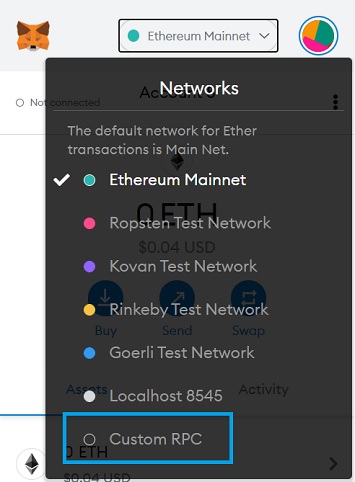
If you already have a MetaMask wallet but not connected it to Binance Smart Chain yet, first click ”Ethereum Mainnet” and then click ”custom RPC” on your wallet to add the BSC network to MetaMask.
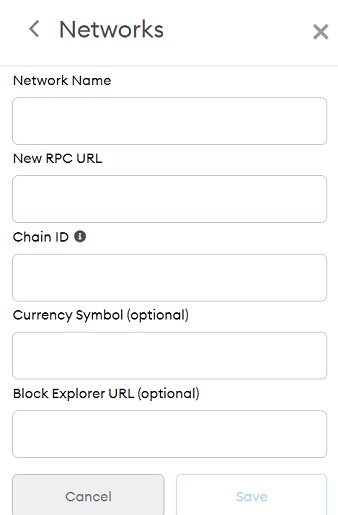
Fill out the required fields with the information below and your MetaMask wallet will be connected to Binance Smart Chain.
- Network Name: Smart Chain
- New RPC URL: https://bsc-dataseed.binance.org/
- ChainID: 56
- Symbol: BNB
- Block Explorer URL: https://bscscan.com
How to connect MetaMask to PancakeSwap
To connect your MetaMask wallet to PancakeSwap, first unlock your MetaMask wallet and then switch to the Binance Smart Chain network.
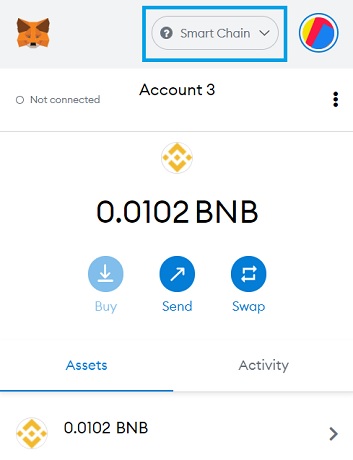
After unlocking your MetaMask wallet which is connected to Binance Smart Chain, visit PancakeSwap to connect your wallet to the platform.
Click the ”connect” button on PancakeSwap and then choose ”MetaMask” to connect your wallet to PancakeSwap.

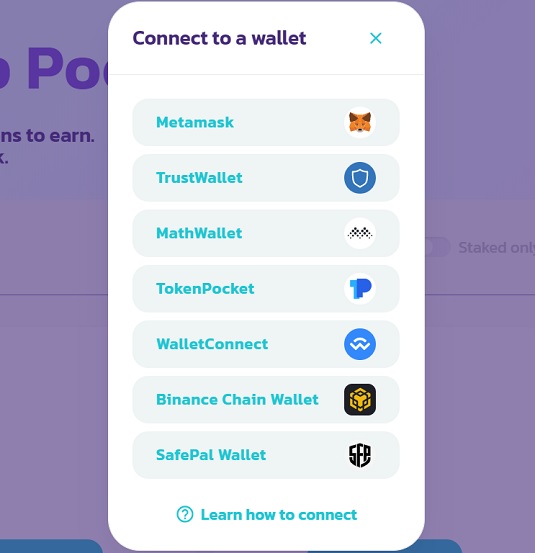
After clicking ”MetaMask”, you can choose the address (account) that you want to connect to PancakeSwap and then click the ”connect” button on the MetaMask notification.
If you use MetaMask’s mobile version, you can use the ”WalletConnect” option to connect your wallet to PancakeSwap.
If you plan to use Binance Smart Chain dapps such as PancakeSwap, you need BNB in your MetaMask wallet to pay for transaction fees.
Also, if you want to stake CAKE on PancakeSwap, you can send CAKE from Binance or other exchanges to your MetaMask wallet.
To open a Binance account with a 20%+25% fee discount and learn how to use Binance, check out our Binance tutorial.
If you don’t have a Binance account yet, simply click the button below or enter the code ”WRYOO8BZ” in the referral ID field when opening your Binance account and receive a 20% fee discount for spot (max) and a 10% fee discount for futures (max):
How to send CAKE from Binance to MetaMask & Add CAKE to MetaMask
If you want to send CAKE from Binance to your MetaMask wallet, be sure that your MetaMask wallet is connected to Binance Smart Chain.
You can still send CAKE to your MetaMask address even if you’ve not added the BSC network to your MetaMask wallet yet.
But you’ll be able to view the CAKE token on your MetaMask wallet only after connecting your wallet to the BSC network, so doing it before is better.
To transfer CAKE from Binance to MetaMask, first copy your address on MetaMask and then go to Binance‘s withdrawal page.
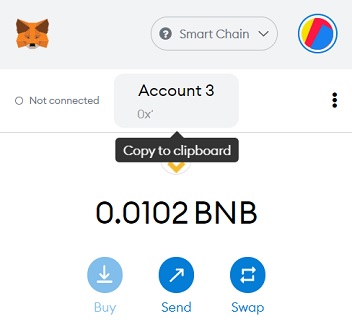
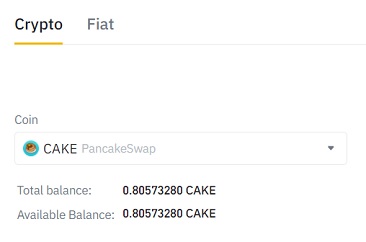
Click the ”withdraw” button on your fiat & spot wallet on Binance and then choose ”CAKE” after clicking ”crypto”.
Enter your address that you’ve copied from your MetaMask wallet in the ”recipient” field and choose the ”Binance Smart Chain” network.
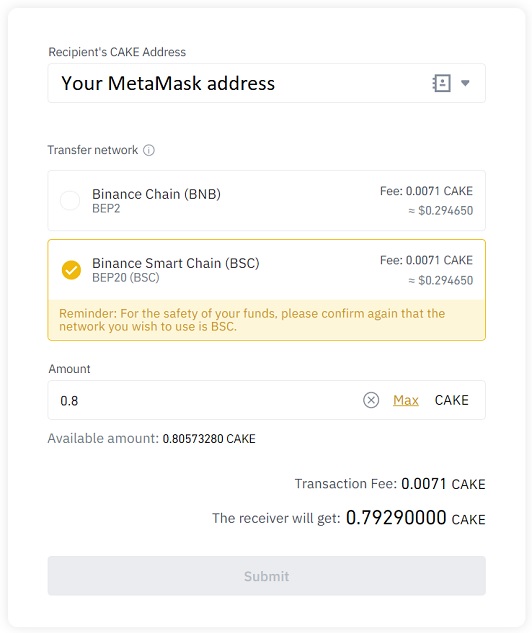
After entering your address and then choosing the BSC network, you can enter the amount of CAKE that you want to withdraw and complete the transaction.
If CAKE does not appear in your MetaMask wallet, you need to add it as a custom token. First click the ”add token” button on your MetaMask wallet.
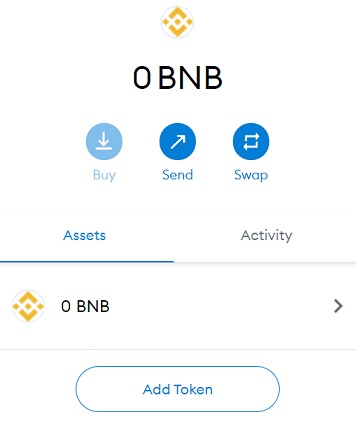
And add CAKE to your MetaMask wallet as a custom token with the contract address below:
PancakeSwap (CAKE) Token contract address: 0x0e09fabb73bd3ade0a17ecc321fd13a19e81ce82
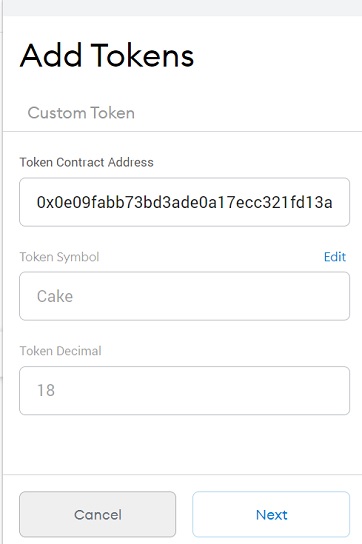
After adding CAKE token to your MetaMask wallet as a custom token, it will appear in your wallet under the ”assets” tab.
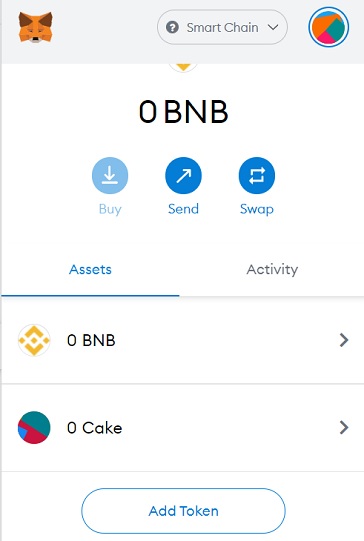
You also need to transfer some BNB to your address to pay for transaction fees on the BSC network.
You can follow the same steps above and choose the BSC network to transfer BNB from Binance to your MetaMask address.
If you need to add other BEP20 tokens as custom tokens, you can check out this BEP20 token list and get the contract address info after clicking on the token.
How to trade on PancakeSwap with MetaMask
Once you have some BNB in your MetaMask wallet for gas fees on the BSC network, you can go the exchange page on PancakeSwap and start trading.
If you want to sell a particular BEP20 token on PancakeSwap, you can transfer it from exchanges or other wallets to your MetaMask address.
To buy BEP20 tokens on PancakeSwap, you can mostly use BNB, BUSD (BEP20) and CAKE. There are also BTCB and ETH pairs on the platform.
To trade on PancakeSwap, first click the ”exchange” page under the trade menu.
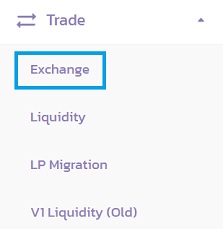
Choose the token you want to swap and enter the amount, and choose the token you want to receive in the ”to” field.
In the example below, I am selling my USDT (Binance-Peg BUSD-T) for BNB.
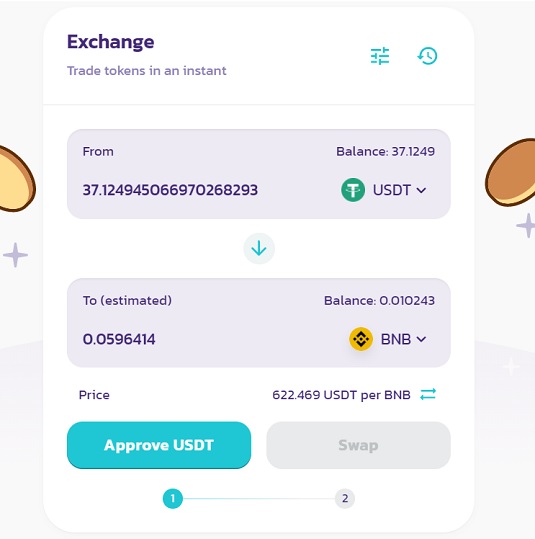
After choosing the tokens and entering the amount, you should approve the token you want to swap which will allow the smart contract to spend your token.
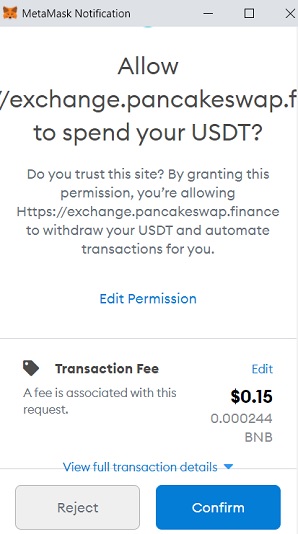
Click the ”approve” button and confirm the transaction on your MetaMask wallet. As you can see in the image below, it only costs $0.15 and you need BNB in your wallet to make an ”approve” transaction.
Transaction fees may change depending on the network, so don’t expect to pay exactly $0.15. But, in general, Binance Smart Chain is much cheaper than Ethereum.
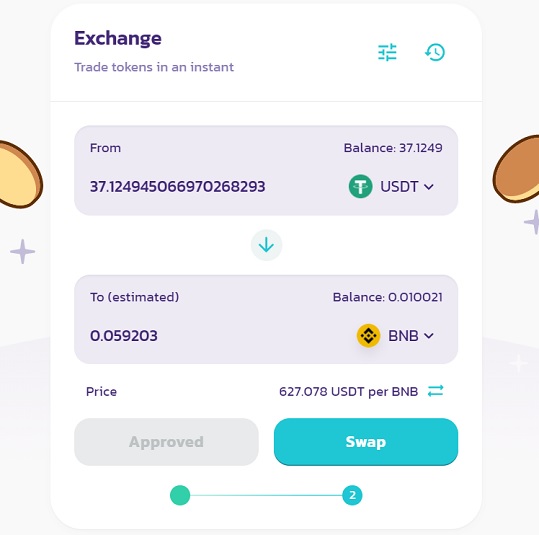
After approving the token you want to swap, you can click the ”swap” button and confirm the transaction on your MetaMask wallet.
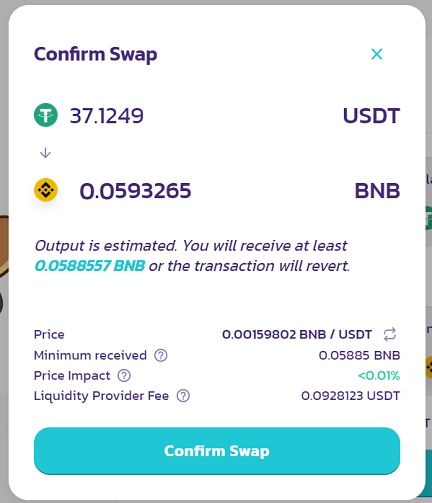
When you make a trade on PancakeSwap, you’ll pay a 0.25% trading fee. In this example, I’ll pay a 0.0928 USDT swap fee (37.1249/100*0.25).
Before making the trade, you can also change your slippage tolerance and the transaction deadline by clicking the settings icon.
After clicking the swap button, check the rates again and then click the confirm swap button.
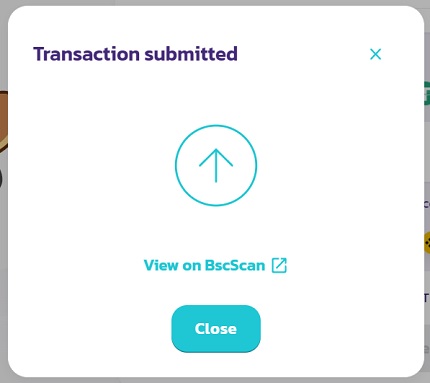
You can see the transaction on BscScan and under the activity tab on your MetaMask wallet.
How to stake CAKE with MetaMask
To stake CAKE with MetaMask, you need two things: A MetaMask wallet connected to Binance Smart Chain and CAKE and BNB in your wallet.
First connect your MetaMask wallet to the BSC network and send CAKE and BNB to your wallet if you’ve not done so yet.
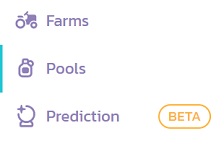
After that, visit PancakeSwap and connect your wallet to the platform. To stake CAKE for CAKE or other tokens, click ”pools” on the menu.
You can stake your CAKE to earn more CAKE or various other tokens. The auto CAKE pool has an auto-compounding feature but also a 2% performance fee (of each yield harvest).
If you plan to stake your CAKE for a short duration or regularly compound yourself, you can use the manual CAKE pool instead.
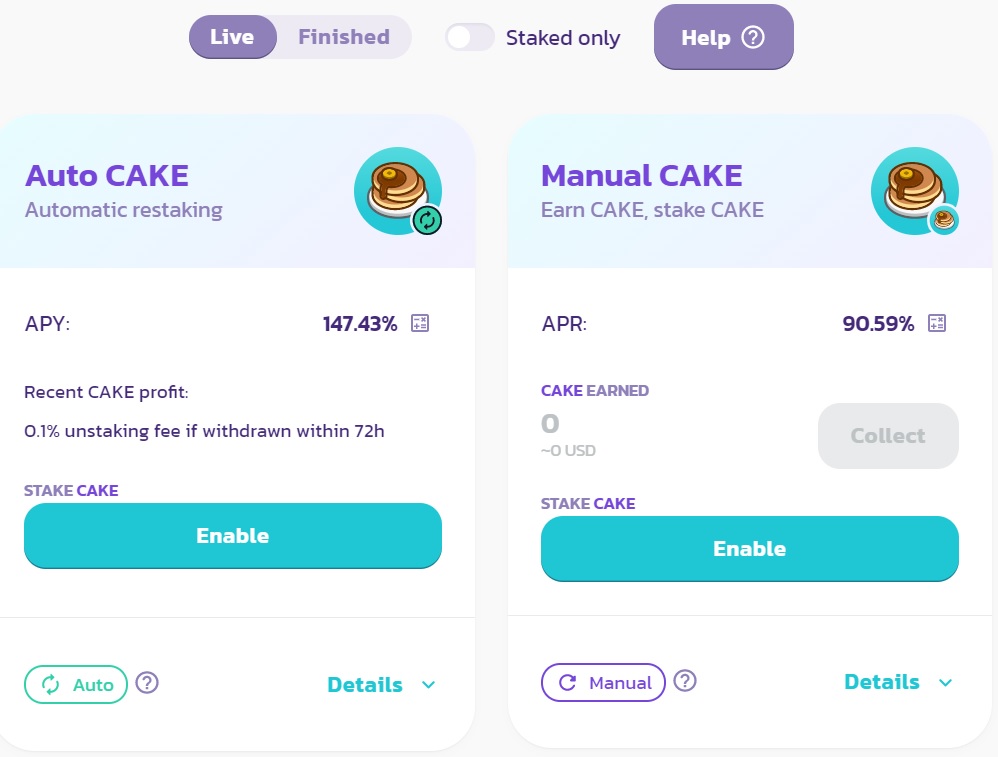
The difference between APY and APR is that APY includes compounding while APR does not. This is why you see a higher rate of return on the auto CAKE pool.
If you stake your CAKE in the manual CAKE pool and compound regularly, the APY should be similar, which you can also check by clicking the calculator icon beside the manual CAKE pool’s APR.
To stake your CAKE, you should first click the ”enable” button to allow the associated smart contract to use your token.
It will cost you a very small amount of BNB as a transaction fee, similar to approving a token before making a swap on PancakeSwap.
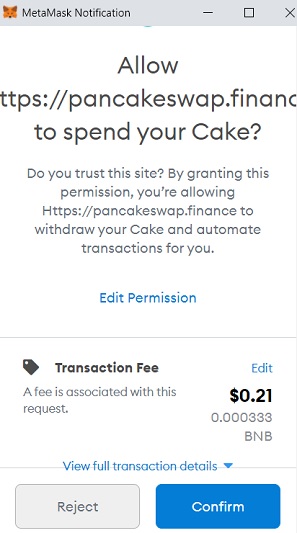
After making an ”enable” transaction, now you can stake your CAKE in the pool as can be seen in the image below.
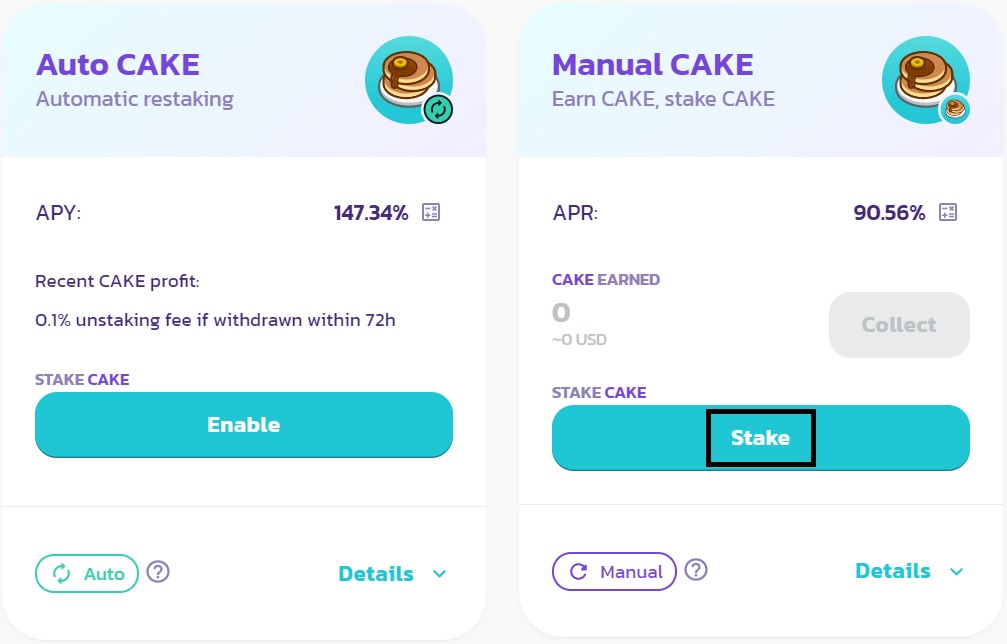
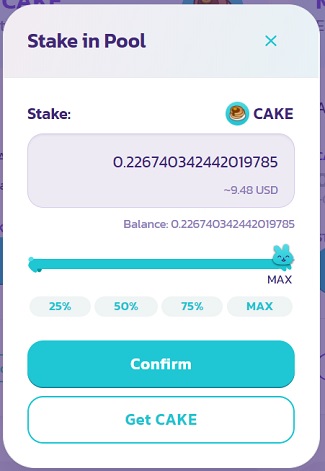
Click the ”stake” button and enter the amount of CAKE you want to stake in the pool. There is no minimum amount, you can stake as little as $9 USD worth of CAKE.
After entering the amount, click the confirm button and confirm the transaction through the MetaMask notification.
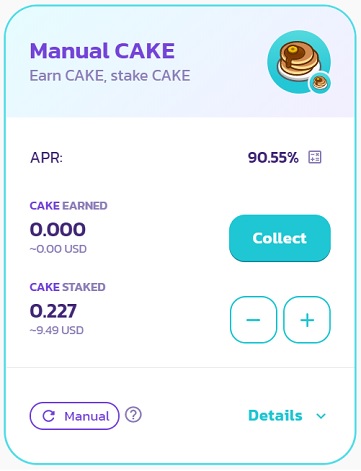
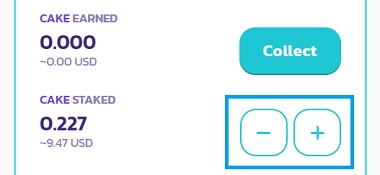
Now you can see the amount of CAKE you’ve staked in the pool and the amount of CAKE you’ve earned in real-time.
If you stake a small amount of CAKE like I did, it might take a while to see CAKE rewards in the pool.
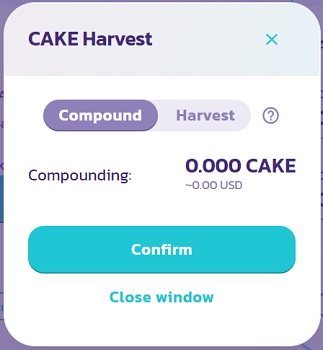
You can click the ”collect” button to compound or harvest your accumulated CAKE reward. If you want to keep earning more CAKE, you should compound your reward.
How often you should compound your CAKE reward depends on your staked amount and the CAKE reward. As you’ll pay transaction fees each time you compound, you should not compound very small amounts.
To unstake your CAKE or add more CAKE to the pool, you can use the minus and plus buttons.
How to add liquidity to PancakeSwap with MetaMask
You can add liquidity to PancakeSwap with MetaMask and earn swap fees. After adding liquidity to PancakeSwap, you can also stake your LP tokens to earn CAKE.
To add liquidity to PancakeSwap with MetaMask, you need three things:
- A MetaMask wallet connected to Binance Smart Chain.
- BNB in your wallet to pay for transaction fees.
- An equal value of two tokens of a pair on PancakeSwap such as $10 CAKE and $10 BNB in your wallet.
If you are set, visit PancakeSwap, connect your MetaMask wallet to the platform and click ”liquidity” under the trade menu.
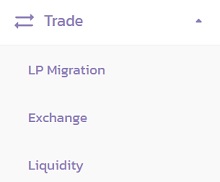
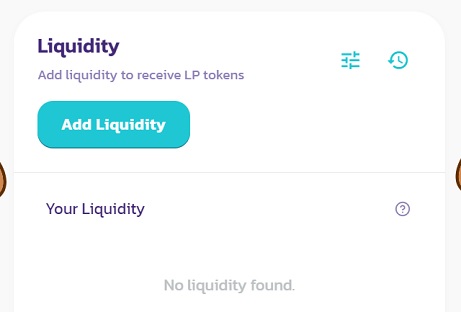
On the liquidity page, click the ”add liquidity” button to add liquidity to PancakeSwap.
First choose the pair and then enter the amount for one of the tokens, you’ll see the required amount for the other token as calculated by protocol according to the price.
To supply liquidity to the protocol, you should first click the ”approve X token” button and confirm the transaction on your wallet.
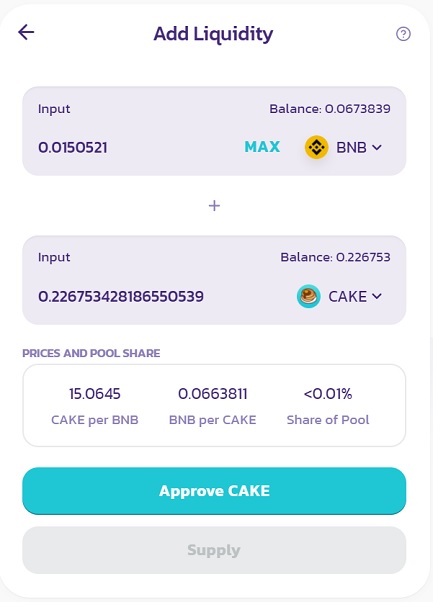
After approving the token, you can click the unlocked ”supply” button to add liquidity to the pair.
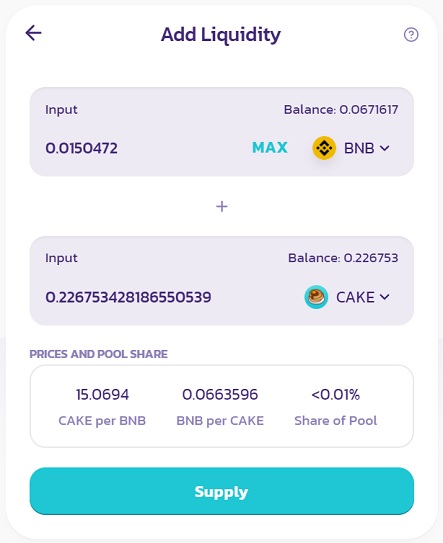
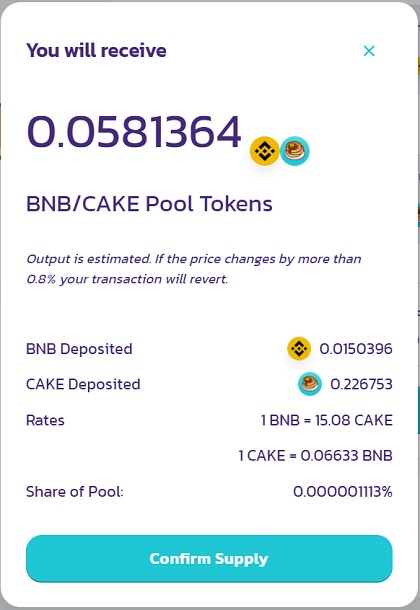
Click the ”confirm supply” button and confirm the transaction on your MetaMask wallet. As transaction fees on the BSC network are already very low, there is no need to adjust the gas price.
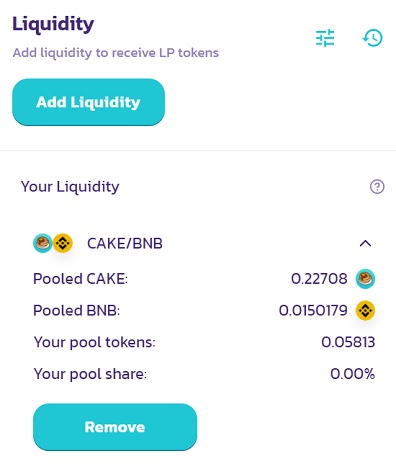
If you want to remove liquidity from PancakeSwap, you can do that on the same ”liquidity” page by clicking the ”remove” button.
If you’ve staked your LP tokens to earn CAKE, you should first unstake them to view and remove your liquidity.
How to stake LP tokens on PancakeSwap with MetaMask
After adding liquidity to PancakeSwap, you can stake your LP tokens in farms to earn CAKE.
To stake your LP tokens, first go to the ”farms” page which you can find on the menu on PancakeSwap.
Find the pair that you’ve added liquidity to and click the ”enable” button to allow the smart contract to spend your LP token.
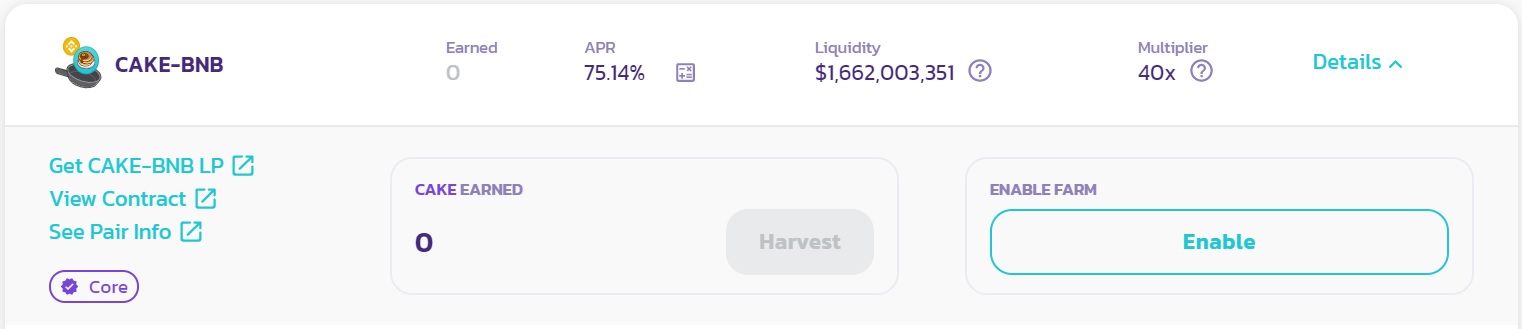
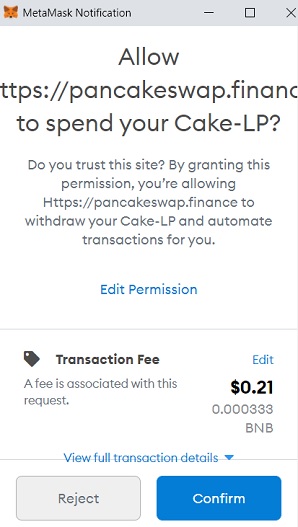
After clicking the enable button, confirm the transaction on your MetaMask wallet. You’ll only pay a transaction fee for this approval transaction like others.
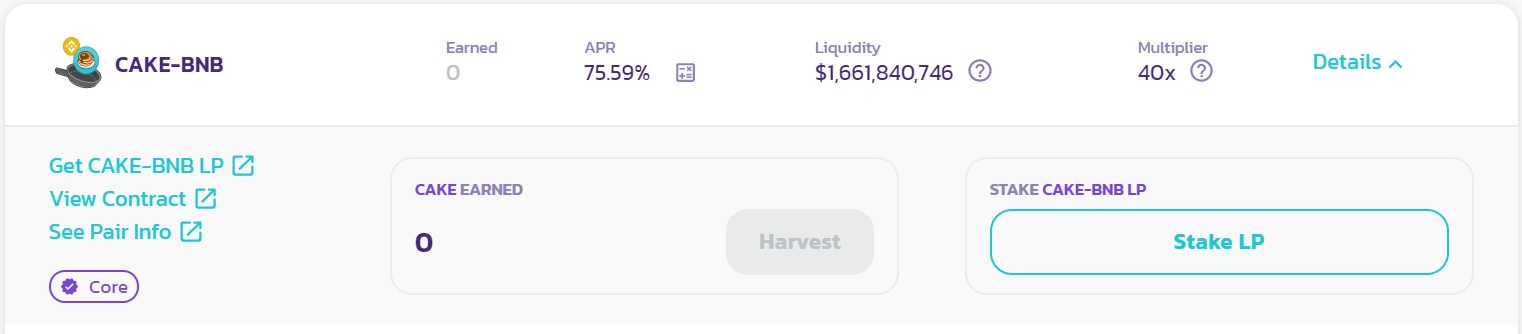
Now you can stake your LP token and start earning CAKE. Click the ”stake LP” button to stake your LP token.
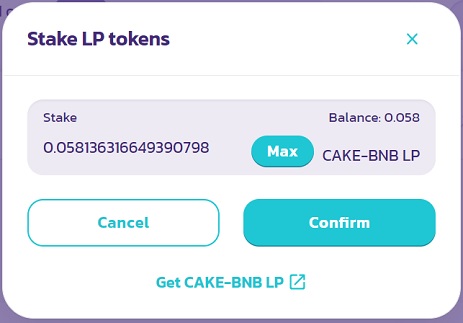
Click the ”max” button to stake all the amount and click the ”confirm” button. You can then confirm the transaction on your wallet.
After staking your LP tokens, you can see your CAKE reward in real-time and use the ”harvest” button to withdraw the accumulated CAKE reward to your wallet.
To unstake LP tokens or stake more LP tokens, you can simply use the minus and plus buttons.
If you want to remove your liquidity from PancakeSwap, you should first unstake LP tokens using the minus button on this ”farms” page.
If you want to trade on and add liquidity to PancakeSwap, you should also know about fees, CAKE token distribution and impermanent loss.
Security is also another important thing when using dapps. If you have a Ledger hardware wallet, you can connect it to MetaMask and use dapps in a safer way.
Обзор Pancakeswap: Как пользоваться платформой
PancakeSwap является популярной децентрализованной платформой для обмена токенов сети BSC. Она крайне схожа по принципу с Sushiswap и Uniswap.
В этом руководстве мы рассмотрим основные функции этой платформы, также попробуем подключить кошелек Metamask.
Как подключить кошелек Metamask к Pancakeswap
Регистрацию и установку кошелька Metamask мы описывали ранее в этой инструкции. Сам процесс подключения к Pancakeswap не должен вызывать трудностей. Достаточно перейти на сайт https://pancakeswap.finance/ с уже установленным расширением в браузере и нажать на кнопку Connect
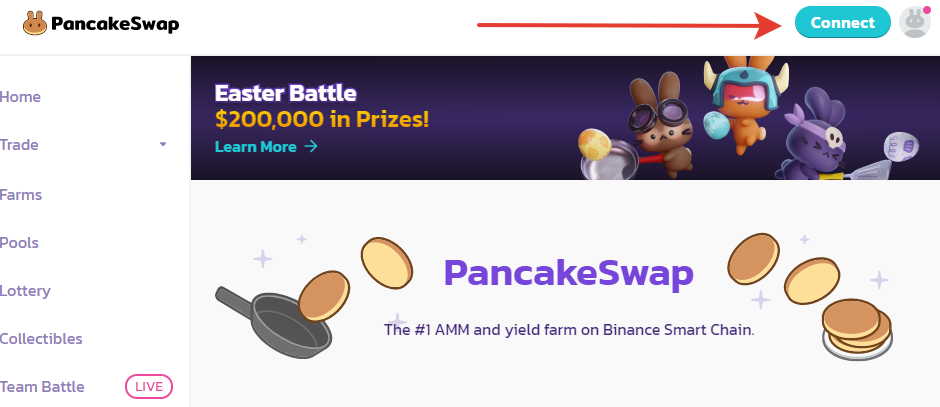 Кнопка подключения к Pancakeswap
После будет предложено выбрать кошелек. Выбираем Metamask, и подтверждаем авторизацию
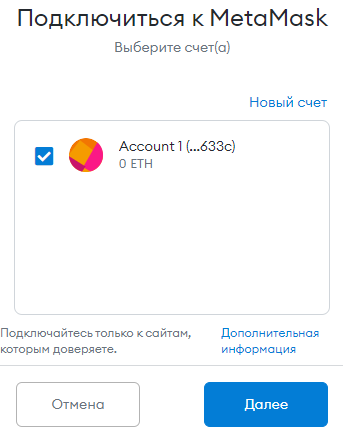 Авторизация на сайте
После этого нужно будет ввести пароль который ранее был указан при регистрации кошелька. Мы авторизовались на платформе и можем продолжать работу.
Обзор основных функций
Рассмотрим основные функции, которые нам может предоставить эта платформа. При этом почти каждое действие, подразумевающее взаимодействие с токенами будет требовать оплату комиссии в некотором количестве BNB.
Для начала стоит упомянуть, что в левом нижнем углу сайта мы видим текущий курс токена CAKE, ссылки на Твиттер и Телеграм, а также кнопки смены языка и стиля сайта (День/Ночь).
Начнём — Home — Домашняя страница PancakeSwap где мы можем увидеть различную статистику.
Exchange
(Во вкладке Trade) позволяет нам проводить своп (Операция обмена) одних токенов на другие. На этой же вкладке под окном свопа также указано 3 пункта:
- Получаемый минимум — показывает сколько вы получите, если во время транзакции цена резко изменится в негативную сторону.
- Влияние на цену — здесь указывается разница между рыночной и расчетной ценой. Иными словами — если вы будете проводить очень большую сделку, то общее количество получаемых монет будет уменьшено.
- Комиссия поставщика ликвидности показывает сколько будет взято комиссии для оплаты поставщикам ликвидности и самому сервису PancakeSwap
Liquidity
(В этой же вкладке Trade). Здесь мы можем добавить ликвидность в специальный пул ликвидности — пулы, что заполняются средствами пользователей. Вложив пару монет в равном соотношении, мы получим LP (Токены ликвидности). Они позволяют нам получать часть торговых комиссий, вернуть свою долю, а также участвовать в IFO (Об этом ниже).
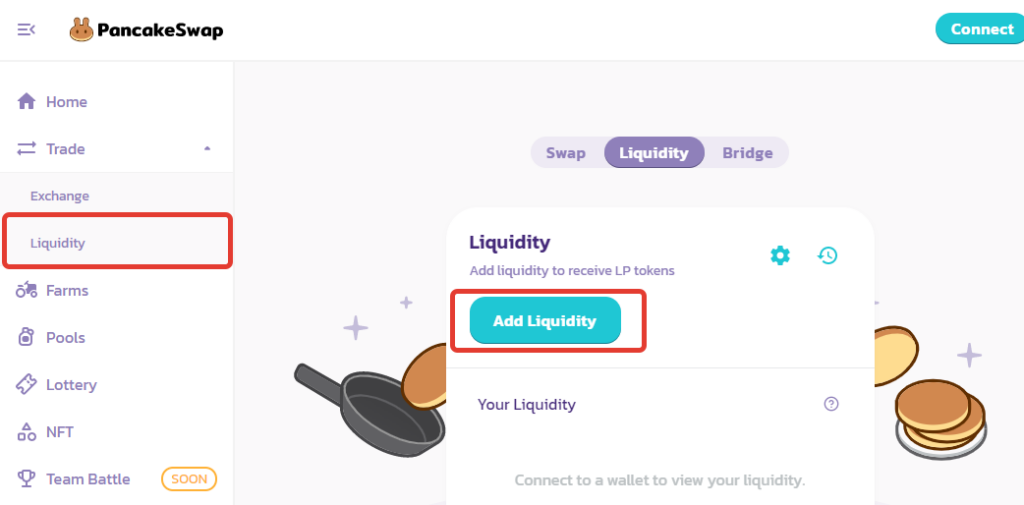 Добавление ликвидности
Нажав на “Добавить ликвидность” открывается специальное окошко:
Здесь мы выбираем пару токенов в равном соотношении, которые отдаём, а взамен уже получаем LP.
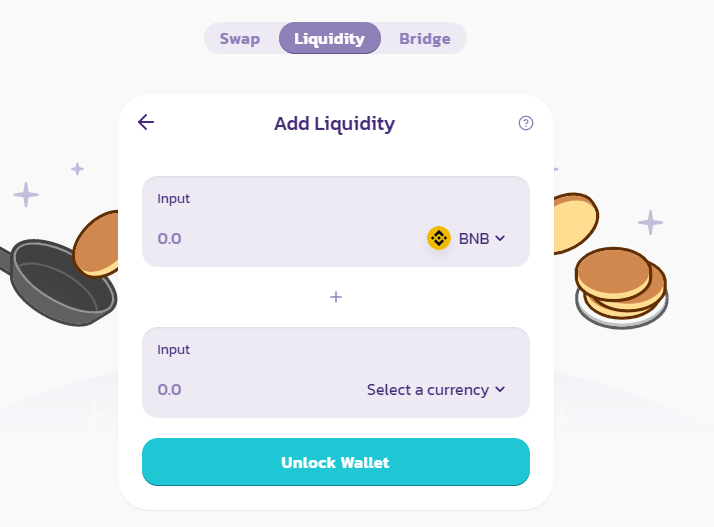 Добавляем ликвидность выбранными токенами
Farms
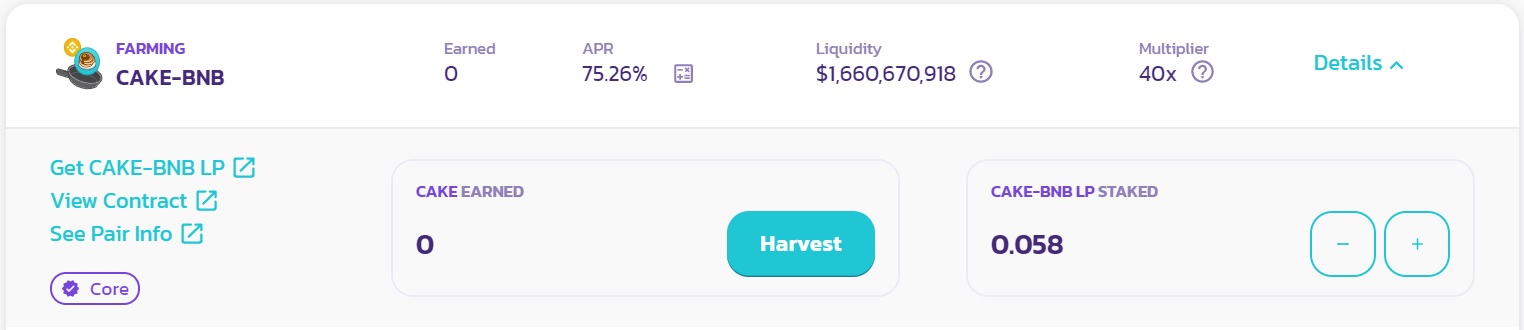
Фермерство на pancakeswap позволяет вложить наши токены ликвидности для получения наград. Это было описано выше. Разберем значения из таблицы:
- APR показывает сколько процентов годовых мы получаем при вложении токенов.
- Liquidity показывает сколько токенов вложено в данную “ферму” в долларовом эквиваленте на данный момент.
- Multiplier показывает какую награду получает ферма за каждый блок. Каждая единица множителя соответствует 1 CAKE. К примеру при Множителе 40х за блок будет получено 40 CAKE.
Pools
В разделе пулов мы можем вложить Cake в специальные “Сиропные” пулы. Сделав это, мы будем получать валюту пула. Т.е. если мы вложимся в DEGO Пул, мы будем получать DEGO, если в CAKE пул, тогда получать будем уже CAKE
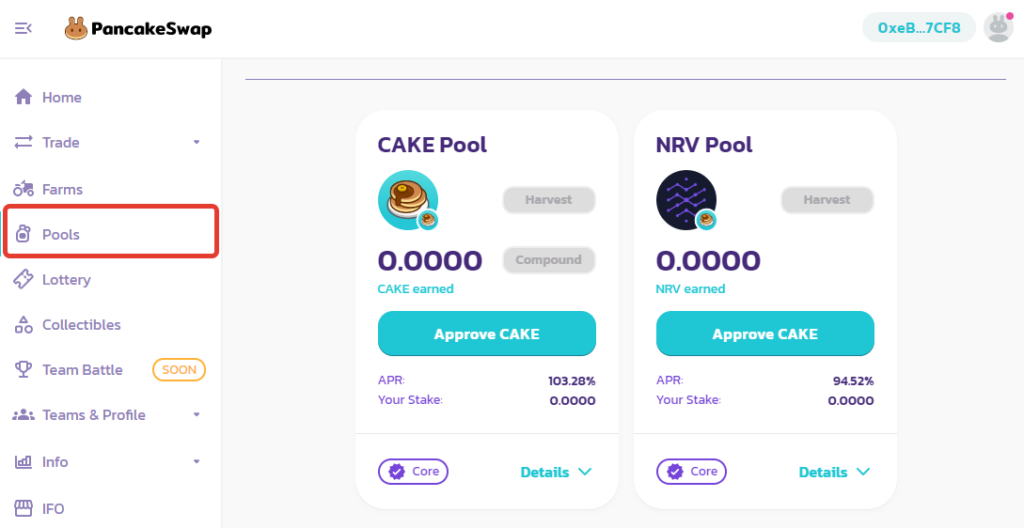
Сначала нужно нажать Approve Cake — произойдёт проверка баланса. Это потребует некоторого количества BNB на балансе в качестве комиссии.
После проверки появится значок “+”, нажав на него откроется следующее окно
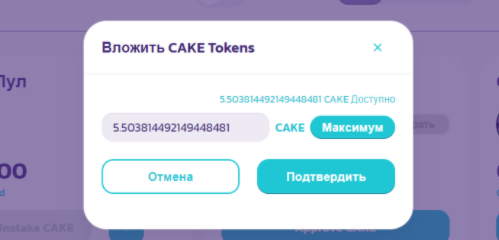
Теперь у нас есть возможность сделать следующее:
- Собрать — Мы собираем в кошелек “накапавшие” токены.
- Домешать — Токены, что успели “накапать” мы сразу добавляем в пул.
- Unstake CAKE — Мы забираем обратно вложенные токены.
Не забывайте, что все эти действия взимают комиссию!
Lottery
Это раздел лотереи на Pancake. За 1 CAKE мы можем купить 1 билет. На билетике 4 цифры, если 2, 3, или же 4 цифры совпадут, вы получите большое вознаграждение от количество Пула. Стоит упомянуть, что по прошествии каждой лотереи, сжигается 1/5 всех вложенных CAKE.
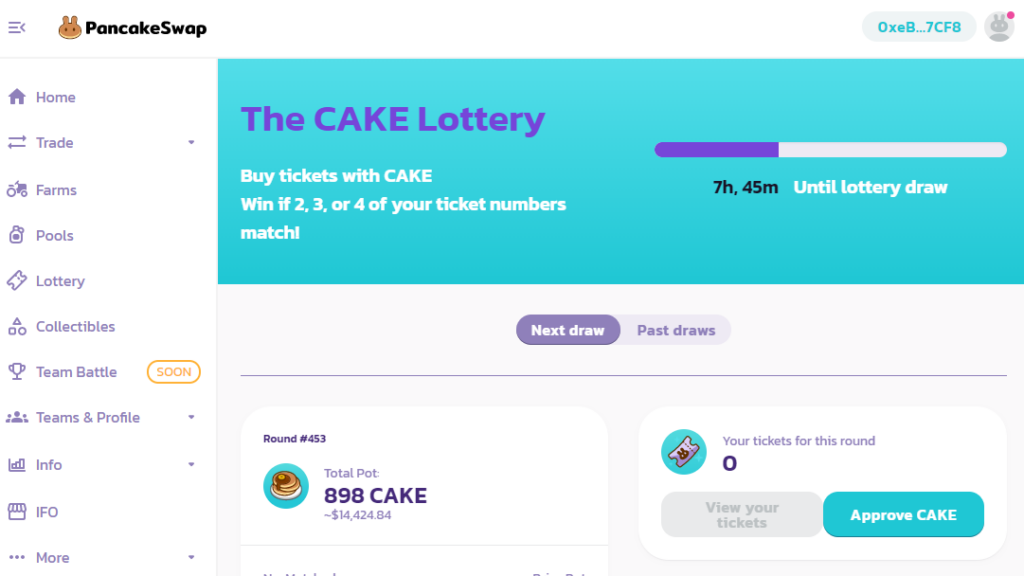
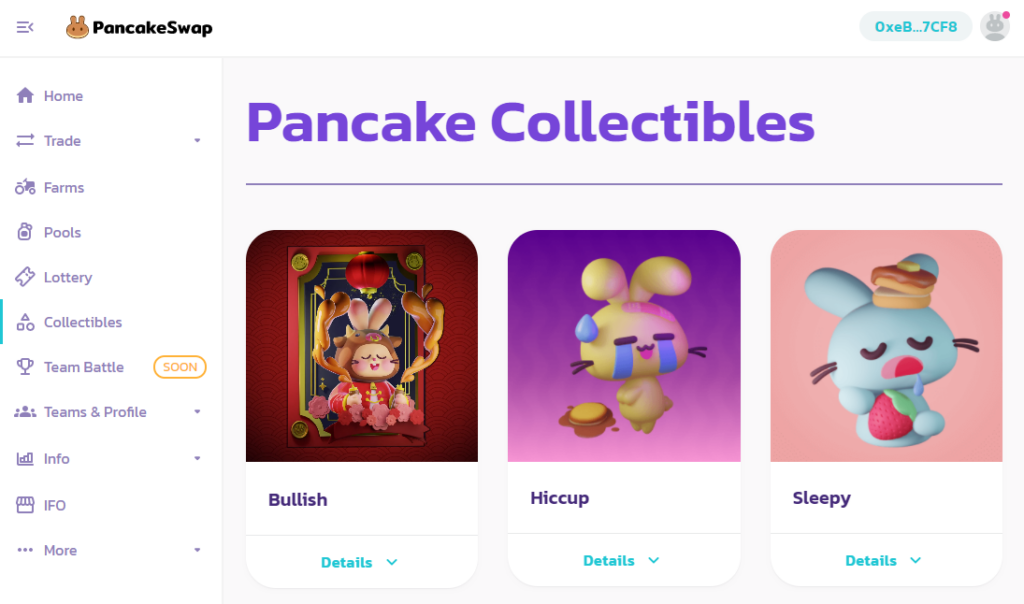
Collectibles
В этом разделе показаны все NFT, выпущенные PancakeSwap.
Team Battle
Совсем новый раздел, который на момент написания инструкции по Pancake ещё никак не был задействован и не показывал себя. Для участия нужен специальный NFT-Профиль, но о нём ниже.
Teams & Profile
В данном разделе есть три подраздела. Рассмотрим каждый из них подробнее:
- В Leaderboards будут показаны лидеры в каких-либо направлениях, но это в процессе реализации.
- В Task Center можно проверить статистику и ачивки аккаунт.
- В Your Profile можно создать профиль. Он позволит нам участвовать в Team Battle, а также получать NFT дропы от PancakeSwap. Для его создания на текущий момент требуется 1.5 Cake и некоторое количество BNB. На этой странице мы выбираем себе аватарку(они отличаются только внешним видом) и команду.
Пример созданного профиля:
Info
Данный раздел предоставляет информацию по состоянию дел PancakeSwap. Но он крайне отстаёт от актуальной информации, что говорит о его бесполезности.
IFO (Initial Future Offerings)
Первичное фермерское предложение. В данном разделе представляются IFO проекты, монеты которых мы можем приобрести за токены ликвидности (LP). Так как актуальных проектов нет, рассмотрим уже прошедший.

Belt.fi с их токеном $BELT.
- LP tokens committed — показывает, сколько токенов ликвидности было вложено
- BELT to claim — показывает, сколько $BELT мы получили по окончанию компании.
Как только начнется кампания, разблокируется кнопка, нажав по которой мы войдём в пул тех, кто хочет обменять LP на BELT. По прошествии времени, весь пул будет разделен между участниками. Если же вы ничего не получили, или остались лишние LP, вы сможете получить их обратно.
Ниже написано описание проекта, когда будет запущен IFO, сколько токенов всего будет к продаже, сколько хотят собрать денег создатели проекта, а также сколько будет сожжено CAKE. Чуть ниже расположена ссылка, ведущая на страницу проекта, участвующего в IFO.
More
В данном разделе находятся способ связаться с администрацией, голосование за что-либо, ссылка на GitHub, документы, блог, а также покупка мерча от PancakeSwap.
Перспективы
Сервис PancakeSwap динамично развивается. его обороты растут настолько стремительно, что администрация устраивает сожжение CAKE в особо больших количествах.
Помимо этого PancakeSwap обещают кучу различного: Сражения команд, ачивки, специальный магазин, в котором можно будет что-то купить за очки достижений, специальные задачи, таблица лидеров и т.д. Всё это направлено на то, чтобы заинтересовать, и впоследствии привлечь как можно больше людей в своё комьюнити, что в свою очередь заставит обратить внимание крупных инвесторов на PancakeSwap
Всё вышеперечисленное даёт понять, что у проекта есть большие перспективы.