Как работают семь главных российских Pay-сервисов и чем отличаются друг от друга
В 2022 году, когда в России перестали работать Apple Pay и Google Pay, отечественный сегмент «кошельков» здорово оживился. Одни игроки побежали занимать освободившуюся нишу с помощью платежных стикеров. Другие – совершенствовали онлайн-применением «пэйев» и двигались в сторону полноценных чекаут-сервисов (сервисов для оформления и оплаты онлайн-заказов). Но такое разнонаправленное движение только еще больше запутало главных пользователей «пэйев» – продавцов и покупателей. Расставим все по своим местам.
Классический Pay-сервис (Apple Pay, Google Pay) – это электронный кошелек, к котором можно привязать несколько банковских карт и платить любой из них онлайн и офлайн. В кошельке пользователи могут выпускать виртуальные банковские карты, пользоваться рассрочкой и другими финансовыми услугами (пользователям из России была доступна не вся функциональность Apple Pay и Google Pay).
Покупатели любят «пэйи», потому что с ними удобно и безопасно: не нужно вводить данные карты при каждой оплате, они хранятся в кошельке в зашифрованном виде. Кроме того, используя кошелек, можно получить дополнительные бонусные баллы, воспользоваться скидками или спецпредложениями.
Продавцы ставят кнопки «Оплати с Pay», т.к. это снижает количество отклоненных транзакций и повышает конверсию в покупку.
С Pay-сервисом у пользователя нет шансов при оплате ввести что-то неверно или передумать оплачивать товар во время заполнения платежной формы.
Но главный выигрыш, безусловно, достается экосистемам. Во-первых, собственный Pay-сервис позволяет экономить на внутренних транзакциях, не платя за интернет-эквайринг. Во-вторых, с помощью удобных платежей экосистемы сильнее привязывают к себе пользователей. В-третьих, получают дополнительные данные о транзакциях не только внутри, но и вне своего периметра. Эта информация помогает совершенствовать имеющиеся и создавать новые продукты экосистем.
Впрочем, не все владельцы «пэйев» понимают и используют этот вид финтех-продукта одинаково.
Мы выбрали семь, пожалуй, самых заметных на рынке Pay-сервисов, проанализировали, как и где они работают, какие предлагают дополнительные фичи, и разделили на четыре группы по принципу их работы.
Tinkoff Pay и Sber Pay сложно назвать кошельками. Их основной принцип работы – перенаправление пользователя со страницы оплаты в приложение банка. Именно там пользователь (только человек, являющийся клиентом банка) может выбрать способ оплаты, например, одну из карт или рассрочку.
Кроме того, кнопку Tinkoff Pay могут поставить только онлайн-площадки, у которых подключен интернет-эквайринг того же банка. А значит, сервис не может собирать данные о внешних транзакциях.
У Sber Pay больше возможностей подпитывать экосистему. Во-первых, сервис работает с любым банком-эквайером. Во-вторых, есть опция добавлять карты не только Сбера, но и других банков: для этого нужно авторизоваться через Sber ID. Но это дополнительный шаг, плохо понятный пользователю в момент оплаты заказа. Поэтому вряд ли многие пользуются такой возможностью.
Из плюсов: оба банка запустили платежные стикеры для бесконтактной офлайн-оплаты. Tinkoff Pay также заявлял о грандиозных планах по развитию внеэкосистемных возможностей сервиса в будущем.
Ближе всего по функциональности к Apple Pay и Google Pay подобралась соцсеть ВКонтакте. Ее VK Pay – это полноценный электронный кошелек с собственным балансом, возможностью выпустить виртуальную карту, переводить деньги другим пользователям и т.д.
К аккаунту VK Pay можно привязать до трех карт любых банков. Также покупки можно оплачивать со счета мобильного, других электронных кошельков или в рассрочку. И за все пользователи получают кешбэк бонусами.
VK Pay очень удобен и продавцам, и покупателям внутри платформы ВКонтакте. Но есть большое «но»: несмотря на то, что сервису уже пять лет, за пределами соцсети он установлен только в 37 магазинах-партнерах, 24 из которых – игровые сервисы. Экосистема явно не использует весь потенциал своего «пэйя». И, похоже, компанию это устраивает.
В эту категорию попали сервисы, которые – на данный момент – делают ставку на удобство использования карт любых банков. Таким был Apple Wallet – предшественник Apple Pay. В отличие от кошельков у этих сервисов нет собственного баланса.
Mir Pay выбивается среди остальных Pay-сервисов. Во-первых, это приложение исключительно для оффлайн-покупок, а значит, e-commerce ничего не выигрывает от его использования. Во-вторых, сервис принадлежит Национальной системе платежных карт (НСПК), которую сложно назвать экосистемой в привычном понимании. И все же это вполне удобный картхолдер, в котором можно хранить и использовать для бесконтактной оплаты любые карты МИР и транспортные карты («Тройка» и т.д.).
Приложение GPB Pay, наоборот, работает только онлайн. В нем можно сохранить сколько угодно карт любых банков или выпустить карту «Огонь» и пользоваться преимуществами одноименной подписки. Подключить кнопку «пэйя» могут только компании-клиенты Газпромбанка. Сейчас сервис доступен на 800 интернет-площадках.
В категорию картхолдеров мы отнесли и МТС Pay. Еще пару недель назад продукт продвигался как приложение на iOs для хранения любых карт (максимум 5 штук). МТС Pay можно платить и онлайн, и офлайн – благодаря платежному стикеру МТС Pay Tag. В качестве метода оплаты также можно выбрать счет мобильного телефона. Судя по всему, сервис планировал развиваться как комплексный продукт, состоящий из приложения для покупателей и платежного шлюза МТС Оплата для продавцов. Изменятся ли эти планы после того, как МТС Банк подпал под санкции, а приложение MTS Pay пропало из AppStore, пока неизвестно.
Одно из быстрорастущих направлений развития платежных сервисов во всем мире – чекаут. Такие финтех-продукты упрощают не только оплату онлайн-покупок, но весь процесс оформления заказа в целом, начиная с момента, когда товары попали в корзину.
Чекаут включает авторизацию на интернет-площадке, оформление доставки, применение опций программы лояльности и, конечно, оплату.
Из российских экосистем активнее других чекаут-направление развивает Яндекс. С одной стороны, у экосистемы есть Yandex Pay – «информационный сервис, позволяющий сохранять и использовать данные банковских карт». С другой – «платежное решение для быстрого оформления покупок» Yandex Pay Checkout.
Yandex Pay сохраняет не только любые карты, но и способ и адрес доставки. За оплату «пэйем» на многих интернет-площадках пользователи также получают кешбэк баллами Плюса, которые можно потратить на оплату экосистемных сервисов, например, такси.
Yandex Pay Checkout – это не просто кнопка оплаты, а готовый модуль быстрого оформления заказа. В него интегрирован сервис оплаты частями Сплит и сервисы доставки – от самого Яндекса и от партнеров.
Наша команда Romb также создала чекаут-сервис с учетом лучших мировых практик. В отличие от экосистемных Pay-сервисов независимый Romb работает в интересах каждого участника своей сети.
Мы сделали оформление заказа максимально простым, удобным и безопасным, чтобы покупателям было проще, а продавцы могли повысить конверсию из корзины в покупку на 20-60%. У нас есть:
единый аккаунт для входа в разные интернет-магазины
авторизация по номеру телефона
автозаполнение данных любых банковских карт и адресов доставки
история купленных товаров
настраиваемые программы лояльности
международный сертификат PCI DSS, подтверждающий высочайший уровень безопасности хранения данных банковских карт
Выбрать одни или несколько Pay-кнопок, оптимизировать только оплату или весь процесс заказа, присоединиться к чужой программе лояльности или настроить свою – вопросы, на которые должен ответить каждый владелец интернет-площадки. От этого во многом зависит эффективность бизнеса в e-comm.
Как продуманный чекаут снижает процент брошенных корзин, мы рассказывали тут.
external payments
Payments as a Secure Service — was designed to further commerce over the Internet via software which runs under Windows Vista. It was developed by the PASS Consortium, a group of leading financial institutions and payment service providers, to enable small businesses the… … Wikipedia
external account — ➔ account1 * * * external account UK US noun [S] ► ECONOMICS BALANCE OF PAYMENTS CURRENT ACCOUNT(Cf. ↑balance of payments current account) … Financial and business terms
External debt — Map of countries by external debt based on 2005 CIA factbook figures Map of countries by externa … Wikipedia
External sector — The external sector refers to a basket of economic measures regarding any individual country. These measures include: *Balance of payments *Current account *Capital account and financial account *Foreign direct investment *Portfolio investment… … Wikipedia
Balance of payments — In economics, the balance of payments, (or BOP) measures the payments that flow between any individual country and all other countries. It is used to summarize all international economic transactions for that country during a specific time period … Wikipedia
Direct Payments — The Direct Payments scheme is a UK Government initiative in the field of Social Services that gives users money directly to pay for their own care, rather than the traditional route of a Local Government Authority providing care for them. The… … Wikipedia
Mobile Payments in India — Mobile Payments is a new and alternate mode of payment using mobile phones. Instead of using traditional methods like cash, cheque, or credit cards, a customer can use a mobile phone to transfer money or to pay for goods and services. A customer… … Wikipedia
Clearing House Interbank Payments System — The Clearing House Interbank Payments System (CHIPS) is the main privately held clearing house for large value transactions in the United States, settling well over US$1 trillion a day in around 250,000 interbank payments. Together with the… … Wikipedia
Faster Payments Service — (FPS) is a banking initiative in the United Kingdom to reduce the time taken for low value payments made person to person and business to business which normally take three working days using BACS to near real time, essentially as if the two… … Wikipedia
Equalization payments — are cash payments made in some federal systems of government from the federal government to state or provincial governments with the objective of offsetting differences in available revenue or in the cost of providing services.CanadaIn Canada,… … Wikipedia
Optimal Payments — PLC Type Public company (LSE: OPAY) Industry Online banking Founded 1996 Headquarters Dougl … Wikipedia
What Is an External Transfer? How It Works, Basics, and Types
External transfers allow you to transfer money between your accounts at different banks, send money to a friend or family member’s bank account, or pay bills or services. External transfers are a no- or low-cost way to move money between accounts.
Key Takeaways
- An external transfer is a way to move money electronically between an account you have with one financial institution and an account in another bank.
- You can use external transfers to move money between accounts, to pay friends and family, or (with caution) to pay bills.
- While EFT transactions are often processed in seconds, ACH transactions are usually batched. For this reason, external transfers via EFT are usually processed faster.
- Financial institutions may limit the number or dollar amount of external transactions you perform in a given period.
Investopedia / Yurle Villegas
How an External Transfer Works
When you log into your online banking portal, use your bank app, or call your bank’s telephone banking number, you generally have the option to complete an external electronic transfer. External transfers send money from your account to a different institution’s account.
Using an external transfer, you can send money to either an account you hold or one held by someone else. The process is usually the same, regardless of where you send funds. External transfers can be used to send money to a friend or family member—for example, to settle a shared expense or to send money for a birthday or a holiday.
Sometimes, a company might ask you to pay for goods or services via an external transfer. You should be cautious, as it could be a scam. Because there are fewer protections for your money with an external transfer, you should only use it to pay for goods or services if you know and trust the seller. It could be a scam if you're asked to make an external transfer to pay for goods or services, so proceed cautiously.
Limits and Fees
Financial institutions may impose amount limits or other limits on the number of external transactions you're allowed to perform. This limit is often tied to the day and/or month. For example, no more than three external transactions in a single day and no more than 10 in a single month.
Some banks offer the external transfer service for free, while others may charge a few dollars per transaction. Money can often be transferred between accounts within the same institution for free.
Most electronic transfers that debit your bank account, including P2P payments, are regulated by The Electronic Fund Transfer Act (EFTA) and Regulation E.
Types of External Transfers
There are two primary types of external transfers—EFT and ACH transfers. You may prefer one or the other depending on whether you're sending money domestically or internationally and how soon you need funds to arrive.
EFT Transfers
External transfers are just one type of a broader set of money transfers known as electronic funds transfers (EFTs). Given that there are many types of EFTs, you probably use quite a few of them without realizing it. When you use your debit or credit card, you set up an EFT happening in real-time, and many checks are processed as EFTs.
Sending money internationally must be done via a wire transfer, another type of EFT payment moving money quickly between financial institutions around the globe. Wire transfers are typically conducted via specific bank-to-bank networks like the Society for Worldwide Interbank Financial Telecommunication (SWIFT) or Fedwire systems.
Sending money internationally presents specific risks and offers special federal protections. It’s important to learn about your risks and protections with regards to international wire transfers.
ACH Transfers
One of the most common sources of confusion regarding external transfers is the difference between EFT and ACH. ACH stands for automated clearing house, which is becoming a popular way to make external transfers.
ACH transfers are processed in batches each day. Funds sent via ACH can take 1-4 days to move from one account to another, depending on the two financial institutions involved in the transaction. Larger banks can often process ACH payments faster than smaller banks.
In addition to the option of near-immediate transfer, ACHs can be scheduled 1-2 days in advance to ensure transactions are processed on time at a specific time, such as payroll processing on a Friday morning.
Example of an External Transfer
You can use your online banking platform or your bank app, call your bank’s telephone banking number, or visit a branch to make an external transfer. You will need:
- The account number of the account you're sending funds from.
- The bank routing number of the account you want to send money to.
- The account number of the account you are sending money to.
Sometimes, the person or organization you are sending money to can help you set up a transfer by providing these details or even by guiding you through setting up a transfer.
Banks usually make it simple to set up the same transfer again. Most banking apps will automatically add your recipient to a list of people to whom you can send money, and online banking systems will also remember that certain recipients have already been verified.
You can also set up automatic external transfers from an account. Most banks will allow you to set up a “standing order” to transfer a specified amount of money regularly to an external account.
What Is an External Transfer?
An external transfer is the movement of money between one financial institution and another. Funds are being transferred outside of the bank currently holding the funds. An external transfer can be made between accounts owned by the same entity or between accounts owned by different parties.
How Long Do External Bank Transfers Take?
EFT payments are initiated in seconds, although it takes banks up to 72 hours to fully settle and process the transaction. ACH payments often occur in 2 days or less. The total time to process largely depends on the timing of the transfer, as there are daily settlement cutoffs for processing electronic deposits. In addition, larger banks can often process ACH payments faster than smaller banks.
Which Banks Allow External Transfers?
Most banks allow external transfers, offering features to link external accounts to your banking profile. After creating an connection to the account you wish to transfer into, your bank automatically saves this information. Some banks require an external account to be created and linked before deposits or withdrawals be made into that account.
Is There a Transaction Limit to External Transfers?
Some financial institutions impose limits on external transfers, whether an amount or number of transactions. For security reasons, some banks have external banking transaction limits tied to the transaction, day, or month. For example, a bank may limit external transactions to $5,000 per transaction, $10,000 per day, and $50,000 per month.
The Bottom Line
External transfers are a fundamental part of the modern banking system, and allow individuals and corporations to move money easily between accounts. They are typically simple to set up, but use caution if you are asked to make an external transfer to a company or individual you don’t know personally.
External payment methods
Use the Stripe Payment Element to display payment methods you are already integrated with. Adding external payment methods simplifies your user interface by displaying all the payment methods you offer in the Stripe Payment Element. Integrating external payment methods requires additional integration work since external payment method transactions are processed and finalized outside of Stripe.
External payment methods disclaimer
When customers choose an external payment method, they’re redirected to a URL you configured for the external payment method. Learn about what you’re responsible for and Stripe’s ongoing support for external payment methods .
This guide adds an external payment method, Divido, using the HTML/JS example from the Payment Element quickstart .
Before you begin
-
or sign in .
- Follow the Payment Element quickstart to complete a payments integration.
- For each external payment method you want to add, ensure you have completed the integration with each external payment method and confirmed that it is working in the region you want to enable them.
Add external payment method types
In your checkout.js file, where you initialize Stripe Elements , specify the external payment methods you want to add to the Payment Element. This example adds Divido:
Handle payment method selection listener
There are two ways to handle the redirect to the external payment method:
- Replace the action of the Stripe Pay now button to redirect to the external payment method.
- Replace the Stripe Pay now button with the external payment method provider’s button.
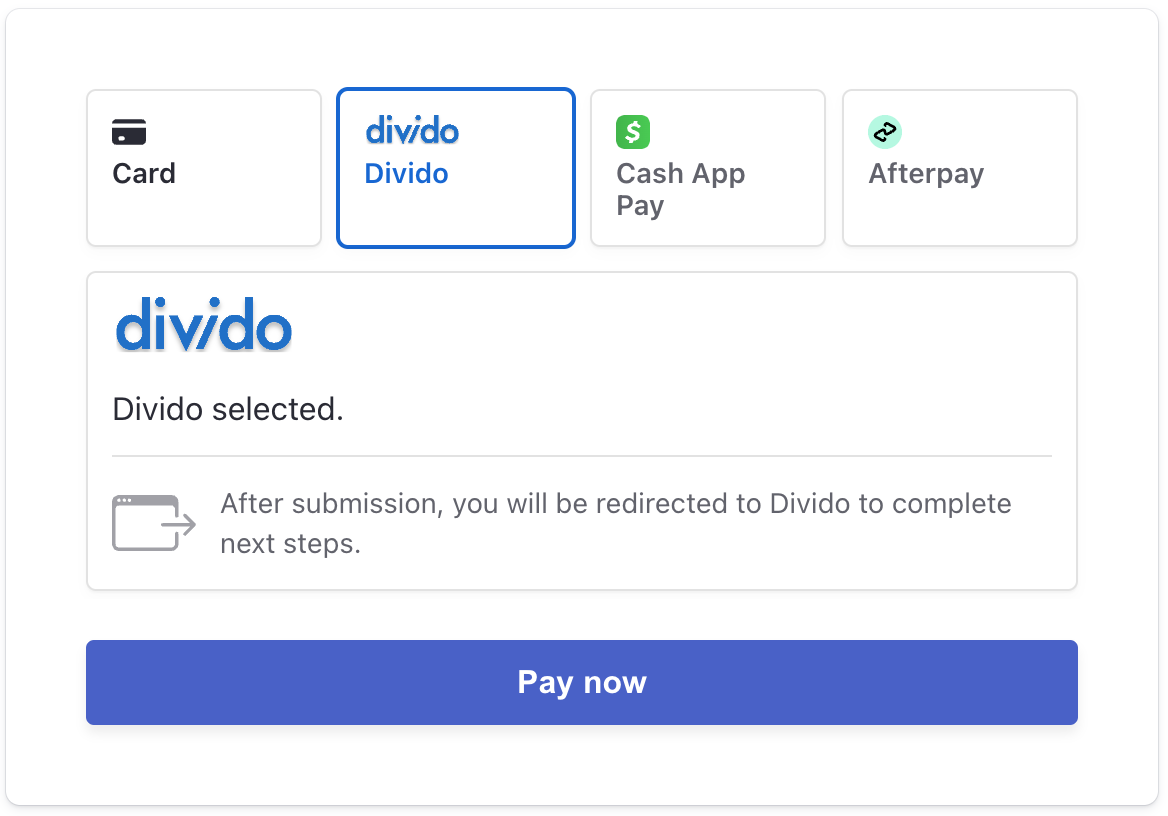
This listener replaces the action of the Stripe Pay now button to redirect the customer to the Divido checkout page where they can complete the transaction. In checkout.js , add the listener code after the paymentElement.mount call:
Update the handleSubmit function to redirect to the Divido checkout page:
Optional Position external payment methods
Test your integration
- Go through your checkout flow and verify that the Payment Element displays Divido. This example configures Divido in the second position after cards.
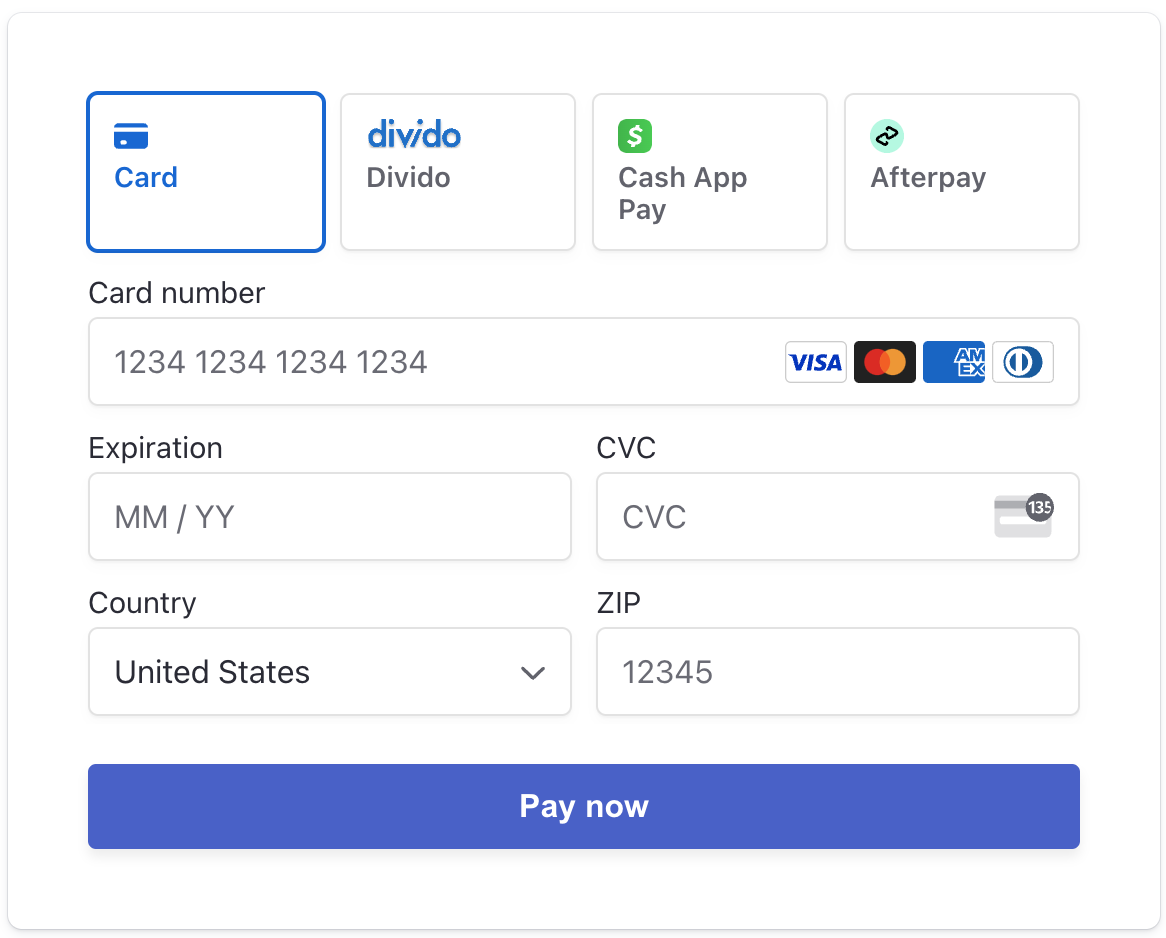
Payment Element with Divido
Dashboard considerations
The Stripe Dashboard displays PaymentIntents for transactions that were processed with an external payment method provider with an incomplete status. Stripe isn’t involved in external payment method transactions and is unable to determine the status of these transactions.
If you collect payment details before creating an Intent , you won’t see any incomplete transactions in the Stripe Dashboard for transactions that were processed with an external payment method provider.
External payment methods disclaimer
External payment methods are designed to allow you to surface in the Stripe Payment Element certain payment methods not supported today on Stripe that you directly integrate with. When customers choose an external payment method, they will be redirected to a URL you configured for the external payment method. You acknowledge that:
- External payment methods are not offered nor supported by Stripe. The operation and support of external payment methods is provided by the external payment method provider.
- You are responsible for maintaining a direct integration with the external payment method provider.
- You need to maintain an agreement with the external payment method provider and are responsible for complying with your agreement(s) with each external payment method provider.
- You are responsible for obtaining all necessary rights to use the external payment method provider’s marks and logos within your checkout as described in these docs.
- Stripe is not responsible for the processing of any transactions with any external payment method provider including, for example, any charges, refunds, disputes, settlements or funds flows.
- You or the external payment method provider are responsible for the completion of the purchase flow after a customer has selected an external payment method, including, for example, the order confirmation and reconciliation of orders.
- You are responsible for properly configuring the redirect URL for the external payment method.
- You must immediately remove any external payment methods in the event your agreement(s) with any external payment method provider terminate or Stripe deprecates availability of an external payment method.
- You are only permitted to integrate with and present in the Payment Element the external payment methods listed in this guide.
- You are solely responsible for ensuring that buyers are redirected correctly to their chosen external payment method.
Ongoing support of external payment methods
Stripe may at any time decide to deprecate the availability of any payment method as an external payment method. Stripe will notify you of any deprecation of an external payment method that you are using, and you must immediately remove the external payment method in your code. Failure to do so will result in the external payment method not rendering to your customers.
Supported external payment methods
Stripe supports the following external payment methods. You must use the corresponding external payment method type in your code.